How to View DNA Results in NG
DNA results are available in the animal’s record in ADGA Next Generation after the laboratory report has been received and processed by ADGA.
- Sign in to ADGA Next Generation.
- From your Currently Owned list, select the animal’s registration number to open its record.
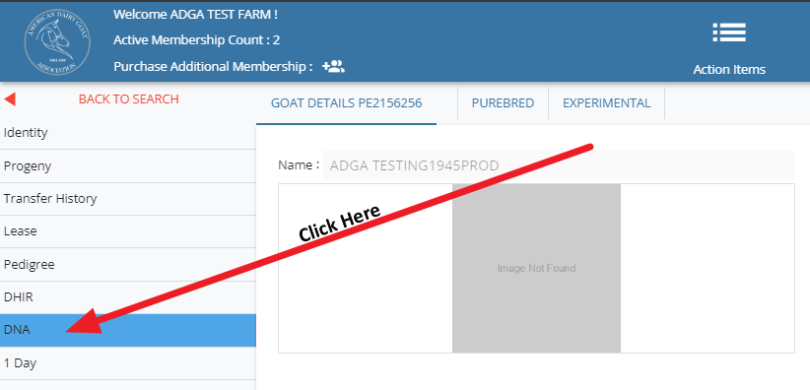
- In the Animal Details menu, select DNA.
- When results are available, they will appear at the bottom of the DNA page.
Results Not Showing?
DNA results will not appear until they have been received from the laboratory and processed by ADGA.
If you received a results email but the information is not visible:
- Refresh your browser.
- Confirm that you are viewing the correct membership.
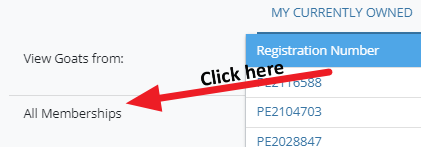
- To view DNA results for an animal owned through a linked account, select All Memberships. This will display the animals owned by each membership associated with your NG login.
- Confirm that the DNA profile has been connected to the animal’s registration record.
For additional assistance, submit a DNA Support Ticket and include the animal’s registered name and registration number.