
Annual membership expires at the end of the current year for dues submitted from January 1 to September 1, and at the end of the following year for dues submitted from September 2 to December 31.
Members may submit a paper membership form; however, renewing online through ADGA Next Generation is recommended.
Membership Renewal Online
Log in to ADGA’s Online Software (NG): https://app.adga.org
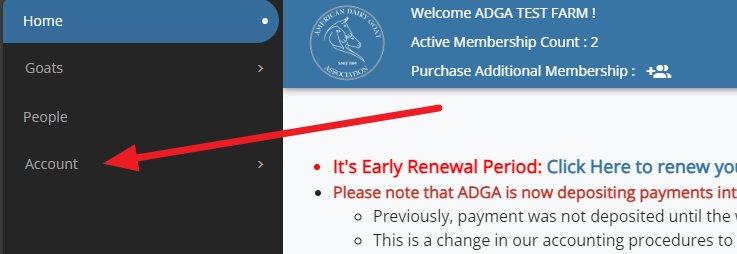
Step 1. After successfully logging into your online account, you will be brought to the dashboard. Click on Account in the black menu on the left.
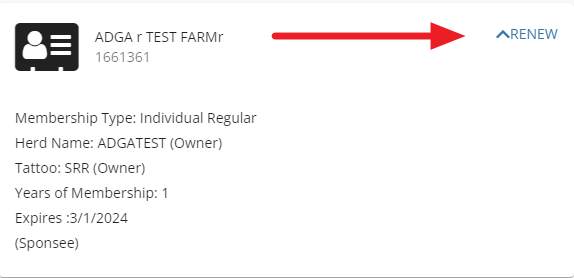
Step 2. You will see your membership card with Renew in the upper right corner. Click on Renew.
Step 3. You will receive a message confirming that your membership renewal was added to the cart. Click OK to continue.

Step 4. The membership renewal has been added to your cart. Click on the cart icon to view the cart and process your payment.

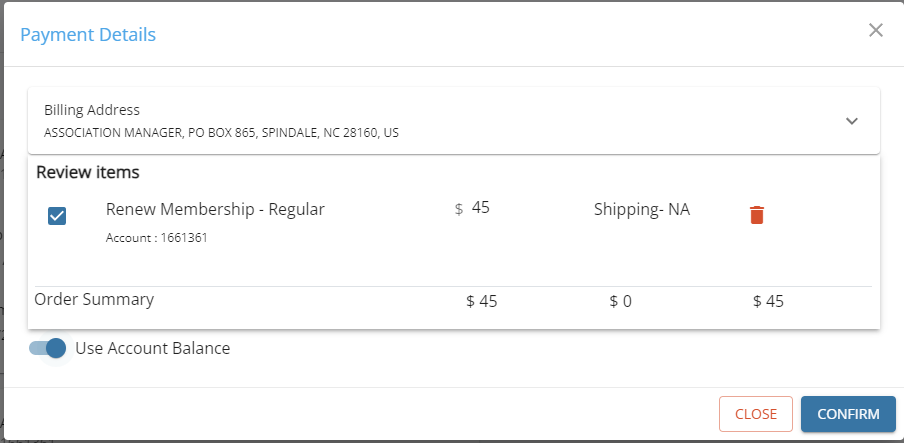
Step 5. If your account has enough credit to cover the renewal fee, click Confirm to apply the available credit.
.
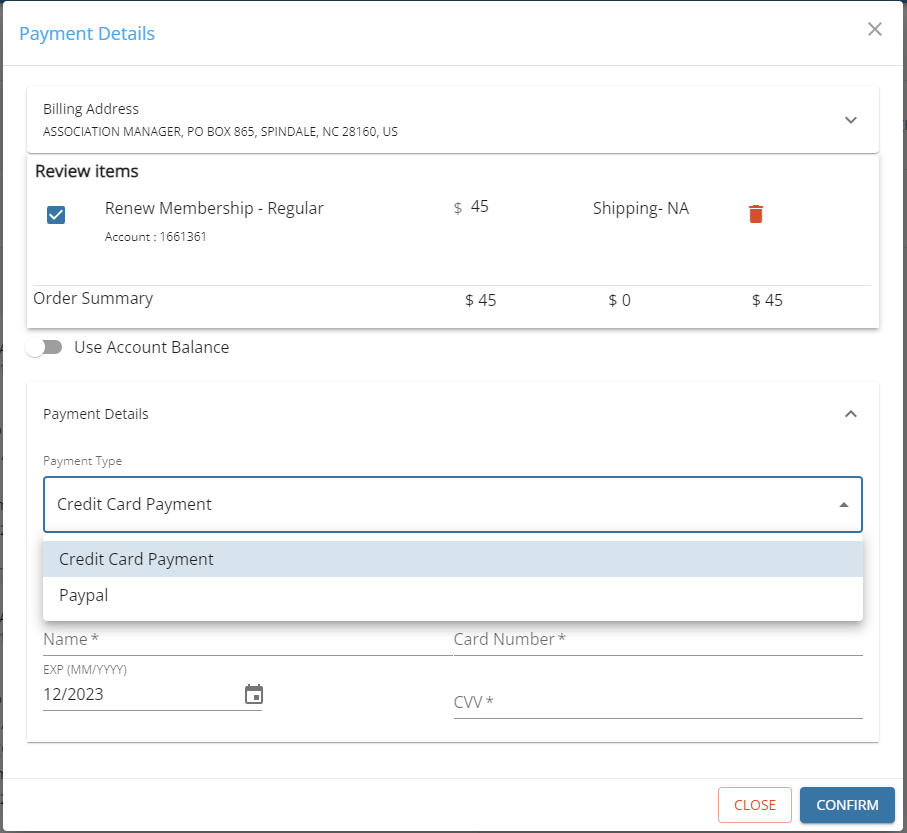
To pay with a credit card or PayPal, click under Payment Type to select your payment method. If using a credit card, enter the card details and click Confirm to submit.
If using PayPal, you will be redirected to a PayPal login screen after clicking Confirm.
Step 6. After processing your payment, refresh your browser (Windows: F5; Mac: Command+R) to get the most accurate information about your membership, which should now be renewed. You can confirm your membership status by viewing the expiration date on your membership card.
For assistance renewing your membership, contact ADGA Customer Service by phone or submit a support ticket.